
How to Manage Pitch & Facility Scheduling for Free – Before Paying for Another System 📅

Pitch and facility scheduling is one of those club jobs that can become messy very quickly. Between training slots, matches, juvenile teams, adult teams, visiting clubs and clubhouse bookings, it doesn’t take much before people are asking the same questions every week:
Who has the pitch tonight? Is the astro free on Saturday? Has someone already booked the clubhouse?
For many grassroots clubs, the instinct is to look for another piece of software to solve the problem. But before adding another subscription, another login and another system for volunteers to learn, it’s worth asking a simpler question:
Do you actually need dedicated pitch-booking software?
For a lot of clubs, the answer is no.
If your main requirement is to create a clear, shared schedule showing when pitches and facilities are in use, you can do it completely free with Google Calendar – and then make that calendar easily accessible to members through your ClubZap app (details how to set it up here) and website (details how to set it up here). That’s the approach we recommend for clubs that need better visibility without the complexity or cost of a full booking platform.
Start With the Problem You Actually Need to Solve
There is an important difference between facility scheduling and online facility booking.
Most clubs initially need scheduling.
That means having one reliable place where coaches, committee members and volunteers can see:
- Which team has a pitch booked
- Training times
- Match allocations
- Astro or indoor facility availability
- Clubhouse bookings
- Other recurring club activities
If that is your requirement, paying for a standalone booking system may be unnecessary.
Some software providers package what is essentially a shared calendar into a broader “facility management” feature and charge clubs accordingly. But a well-organised Google Calendar already provides the core functionality many grassroots clubs need: multiple calendars, recurring bookings, shared access and a public link that members can view.
The important part isn’t having expensive technology. It’s having one source of truth that everybody actually uses.
How to Set Up Your Club’s Pitch Calendar for Free
Google Calendar is a straightforward option because most volunteers already understand how it works, and the basic functionality is free.
All you need is a club Gmail account. From there, you can create one or several calendars depending on the size of your facilities. ClubZap’s Help Centre recommends this exact approach for clubs that simply want to share pitch and facility slots.
For example, a larger club might create separate calendars for:
- Main Pitch
- Second Pitch
- Astro / All-Weather Pitch
- Training Area
- Clubhouse
- Gym or Indoor Hall
A smaller club may only need one calendar with each pitch clearly identified within the event title.
From there, add each training session, fixture or booking to the relevant calendar.
Rather than entering the same training session every week, use recurring events. If the U14s train every Tuesday from 6pm–7pm, create that slot once and repeat it weekly.
Suddenly, your entire pitch schedule is visible weeks or months in advance.
Decide Who Should Be Allowed to Edit It
One of the reasons scheduling systems become chaotic isn’t the technology – it’s ownership.
If everyone can change the calendar, mistakes are almost inevitable.
Instead, nominate a small number of people who can create or amend bookings. Depending on your club, that might be:
- Club Secretary
- Fixtures Secretary
- Pitch Coordinator
- Facilities Manager
- Selected committee members
Coaches can then contact that person or team when they need a change. That gives the club both flexibility and control.
It also means that when someone asks, “Who’s using Pitch 1 at 7pm tonight?”, the answer doesn’t live in someone’s WhatsApp history.
It’s on the calendar.
Make the Schedule Available to Everyone Through ClubZap
Creating the calendar is only half the job. The real value comes from making sure people can actually find it.
Google Calendar allows you to generate a shareable link from Settings and sharing → Access permissions for events → Get shareable link.
Once you have that link, ClubZap gives you several places to surface it to your members.
You can share your pitch calendar:
- Inside the Club House section of your ClubZap app (read this helpguide)
- Through your club website (read this helpguide)
- In website advertising spaces
- As an advert at the top of your ClubZap news feed
That means coaches and members don’t necessarily need to bookmark another website or download another app.
They open the same ClubZap app they’re already using and can access the latest facility schedule from there.
What Does This Look Like in Practice?
Imagine a football club with three pitches and 20 teams.
Previously, pitch allocation might have been coordinated through:
“Can we get Pitch 2 at 7?”
followed by:
“Think U16s have it.”
followed by:
“No, they swapped with the U18s this week.”
followed eventually by somebody tagging the fixtures secretary.
With a shared calendar, everyone can check the same schedule before asking.
A typical entry could simply read:
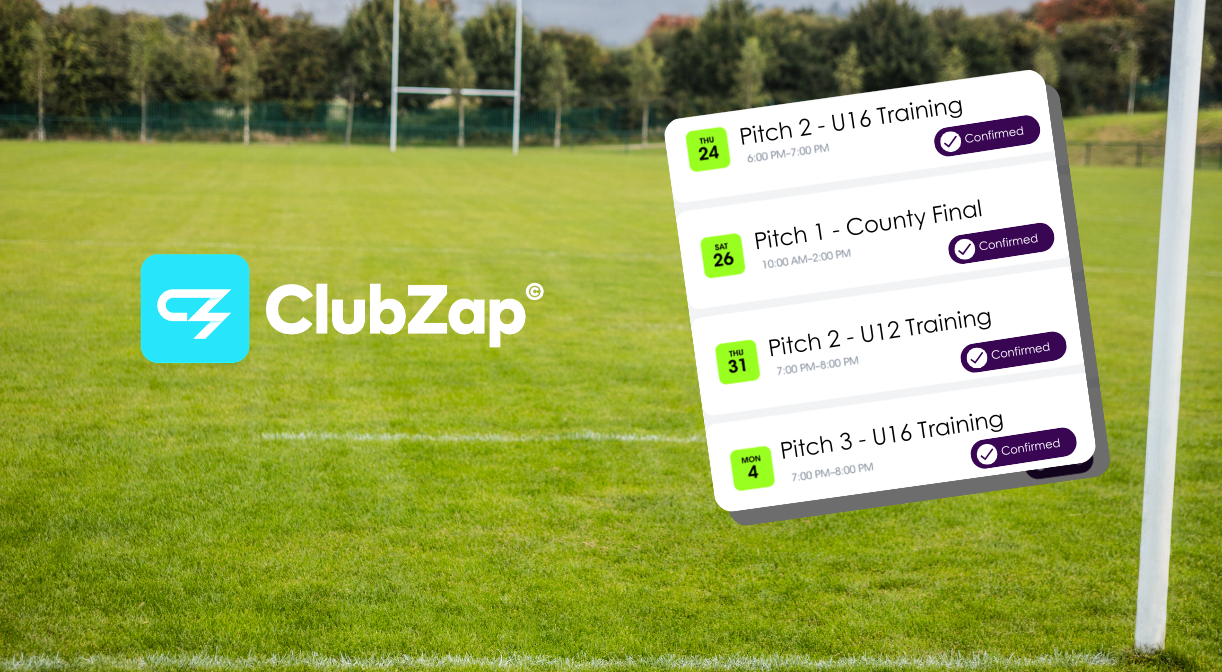
Pitch 2 — U16 Training
Tuesday | 19:00–20:30
If the session moves, one authorised person updates the booking and the latest information is immediately visible to everyone accessing the calendar.

It’s simple – and that’s precisely the point.
Use Separate Calendars If Your Club Has Multiple Facilities
One particularly useful feature is the ability to create more than one Google Calendar.
This allows larger clubs to keep scheduling organised without creating one enormous, difficult-to-read diary.
For example:
Main Pitch Calendar
Matches and senior team training.
Training Pitch Calendar
Juvenile and development squads.
Clubhouse Calendar
Meetings, functions, coaching courses and community use.
Gym Calendar
Team strength sessions and external bookings.
Committee members can view all of these together, while members can access whatever calendars you choose to make publicly available.
This gives you much of the scheduling visibility clubs are often looking for without paying for an additional system.
When a Free Calendar Is Enough – And When It Isn’t
It’s also important not to pretend Google Calendar solves every facility-management problem. For straightforward internal scheduling and visibility, it can work extremely well.
However, there comes a point where a club may genuinely need a dedicated booking platform.
For example, perhaps you want the general public to:
- Search available facility slots
- Book pitches themselves
- Pay for facility hire online
- Manage cancellations
- Apply different pricing rules
- Receive automated booking confirmations
At that stage you’re moving beyond scheduling into online facility booking and commercial facility management.
That’s a different requirement.
ClubZap partners with SportsKey for clubs that require dedicated online pitch and facility bookings, and clubs can contact the ClubZap support team for an introduction.
The key is not to buy that level of software before you actually need it.
Don’t Pay for Complexity Your Volunteers Don’t Need
Grassroots clubs already have enough software, subscriptions and administration to deal with.
Every additional system brings another:
- Cost
- Login
- Password
- Training requirement
- Database
- Process that future volunteers need to understand
Sometimes specialist technology is absolutely worth paying for.
Sometimes the smartest solution is a free Google Calendar with a link in the ClubZap app.
The question should always be:
What problem are we actually trying to solve?
If the answer is simply, “We need everyone to know when our pitches and facilities are being used,” then start simple.
Create your calendars. Give the right people editing access. Add your recurring slots. Share the calendar through ClubZap.
You may find you’ve solved the problem without spending another penny.

Keep Your Club’s Information in One Place
ClubZap’s role here isn’t to pretend that every problem requires another ClubZap feature.
It’s to help clubs run better.
Your members already use ClubZap for club information, communications, membership and payments, so linking your free facility calendar through the same environment gives them one familiar place to find what they need.
And if your requirements eventually grow into full online pitch and facility bookings, you can move to a more advanced solution when the need, and the business case actually exists.
Need help setting up your pitch and facility schedule? Read our step-by-step guide on using Google Calendar with ClubZap here, or contact our support team for advice on the right setup for your club.
The ClubZap blog
Stay informed with expert club management tips, product updates, and the latest industry news. Subscribe now and never miss a thing!
